Quick Navigation
Booking a Shinkansen seat feels like a puzzle the first time. I remember standing at a ticket machine in Tokyo Station, staring at the kanji options, wondering if I’d end up standing for three hours to Osaka. It’s not that hard once you know the flow. This guide walks you through how to reserve Shinkansen seats using the three main methods: online, ticket machines, and staffed counters. You’ll also get the small details that trip up first-timers—like oversized luggage rules and seat class quirks—so you can lock in your seat without stress.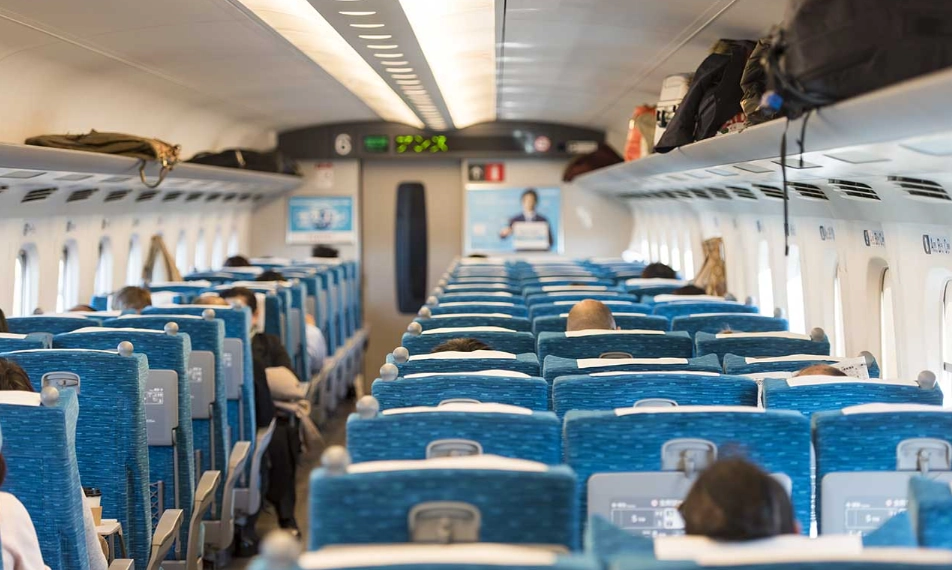
Step 1: Know Your Train Type and Seat Classes
Shinkansen trains have three seat categories: Ordinary, Green Car, and Gran Class (only on certain lines like Hokuriku and Tohoku). Ordinary is fine for most travelers. Green Car gives you a wider seat, more legroom, and a quieter car—worth it if you’re traveling during peak season or need to work. Gran Class is the luxury tier with lounge access and meals; skip unless you’re splurging.
Also, note that some trains are Nozomi (fastest, fewer stops), Hikari, or Kodama (slower, more stops). If you have a Japan Rail Pass, you cannot ride Nozomi or Mizuho without paying a supplement. That’s a common trap. When reserving, the system will show you which trains accept your pass.
Step 2: Choose Where to Reserve (Online vs. Machine vs. Counter)
Three ways to reserve: online (smartest), ticket machines (fast if you can read Japanese), and staffed counters (easiest for complex itineraries). Here’s a quick comparison:
| Method | Best For | Pros | Cons |
|---|---|---|---|
| Online (JR websites or travel platforms) | Booking ahead from home | English support, seat map, no queue | Requires credit card and pickup at ticket office |
| Ticket machines | Last-minute, domestic travelers | Quick if you read Japanese, accepts cash | Limited English, confusing for first-timers |
| Staffed counter (Midori-no-Madoguchi) | Groups, complicated routes, Japan Rail Pass | Human help, can ask about seat preferences | Long lines during holidays |
Step 3: Walk Through the Online Reservation Process
I’ve used both the official JR East site and third-party sites like Klook. The official site (e.g., JR-East Train Reservation) is reliable but requires you to pick up tickets at a station. Here’s the flow:
1. Choose your route (e.g., Tokyo to Kyoto). 2. Select date and time. 3. Pick your train (Nozomi, Hikari, etc.). 4. Choose seat class (Ordinary or Green). 5. Select seats from a map—window seats on the right side (D and E) offer Mount Fuji views if traveling from Tokyo to Osaka. 6. Pay and receive a QR code or reservation number. 7. Pick up physical tickets at a ticket machine or counter.
One non-obvious tip: if you’re using a Japan Rail Pass, some online systems let you reserve seats without paying, but you still need to pick up the ticket. Also, if you book through a third-party like Klook, you’ll often get a voucher to exchange at a station—easier for some, but adds a step.
Step 4: Use a Ticket Machine or Staffed Counter
Ticket machines have an English option, but the menus are dense. Here’s what I do: press the “English” button, then “Reserved Seat.” Insert your credit card or cash. The machine prints both the ticket and the seat reservation slip. If you have a Japan Rail Pass, insert the pass into the machine (if it’s a magnetic pass) or show it to the staff at the counter.
At the staffed counter, hand over your pass or say “shitei seki” (reserved seat). The clerk will show you a seat map. In my experience, they’re patient and will help you find a seat with a view or extra luggage space.
Step 5: Last-Minute and Oversized Luggage Tips
Last-minute reservations are possible on the day, but during Golden Week or Obon, seats vanish fast. If you’re stuck, try a non-reserved car (available on some trains like Hikari and Kodama). Just line up early—I’ve seen queues form 20 minutes before departure.
Oversized luggage (over 160 cm total dimensions) needs a reservation on Tokaido, Sanyo, and Kyushu Shinkansen. You must book a seat with a luggage area. When reserving online, look for the “oversized baggage” option. Ignore this and you could be charged a fine.
Common Questions (FAQ)
Reserving a Shinkansen seat isn’t complicated once you pick a method that fits your style. Online saves time, but machines and counters work fine if you’re already at the station. The key is to know your train type, seat class, and luggage rules before you start.
Fact-checked against JR East, JR Central, and JR West official guidance.

Leave a Comment